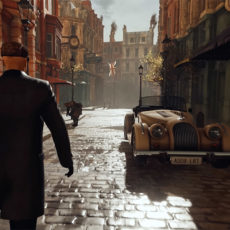
Creating a massive stampeding zombie horde in Unreal Engine 5 is easier than you think, or at least for those with some animation experience. First, you’ll need to download and install a vertex animation texture tool before adding zombie characters.
Next, you’ll need to retarget the zombie animations, organize the meshes, and then begin modifying materials with AnimToTexture bluetprint code. Our favorite part? Using Niagara Emitter to define how particles are generated, their behavior over time, and how they are rendered. In this case, it would be initial spawn velocity and collision.

- STRIKINGLY THIN DESIGN — The redesigned MacBook Air is more portable than ever and weighs just 2.7 pounds. It’s the incredibly capable laptop that...
- SUPERCHARGED BY M2 — Get more done faster with a next-generation 8-core CPU, up to 10-core GPU and up to 24GB of unified memory.
- BUILT FOR APPLE INTELLIGENCE—Apple Intelligence is the personal intelligence system that helps you write, express yourself, and get things done...

For the Time offset driven by Niagara, you have to modify the ‘ML_BoneAnimation’ and make an add with a Dynamic Parameter on the TimeOffset already in there. Then you drive it at spawn time in the Emitter (and you have to multiply it by an Integer, because it’s an offset on frames). That should do it,” said one commenter.