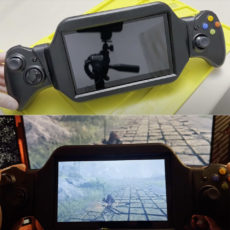
Always wanted to install macOS on your Steam Deck? Well, it’s possible, just not recommended. The reason being is that many things do not function like they should, but RDNA2 is already supported by macOS, which means it could one day become a viable option with further development.
The first step is familiarizing yourself with the Dortania OpenCore install guide, as that piece of information is required for installation. You’ll also need several tools and firmware drivers that may take a while to get sorted. If the instructions to install macOS has not yet deterred you from doing so, check out the Github page to get started.

- STRIKINGLY THIN DESIGN — The redesigned MacBook Air is more portable than ever and weighs just 2.7 pounds. It’s the incredibly capable laptop that...
- SUPERCHARGED BY M2 — Get more done faster with a next-generation 8-core CPU, up to 10-core GPU and up to 24GB of unified memory.
- BUILT FOR APPLE INTELLIGENCE—Apple Intelligence is the personal intelligence system that helps you write, express yourself, and get things done...
Barely anything works. Many devices do not have support. This is more of a ‘look what i can do!’ thing as of right now. This can easily wipe your steamos install if you are not careful. Part of the macOS install is formatting a storage device of your choosing. If you choose the internal storage of the steam deck, it will be wiped,” said the developer.