Late afternoons at the office can be a real drag when your wrist starts to act up from gripping the same old mouse. That familiar ache just builds and builds as the hours tick by, making even something as simple as scrolling into a bit of a battle. Then, along comes the Logitech Lift Vertical Ergonomic Mouse, priced at $49.99 (was $79.99), a device specifically designed to ease that strain without you having to do without all the features you need.
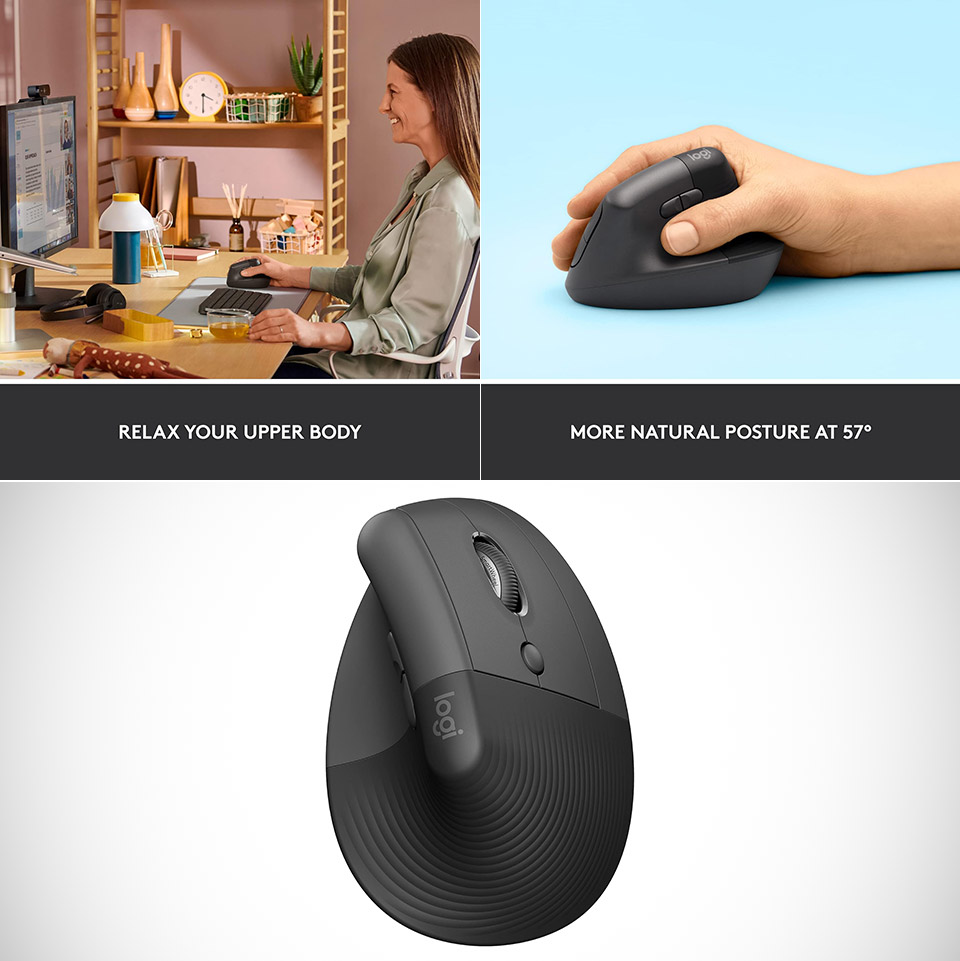
The Logitech Lift has a curvaceous design that looks a bit like a friendly handshake. And what it does, is it tilts your hand into a more natural position – which makes a huge difference – because the usual flat, claw-like grip you get from most standard models just can’t compare. I mean think about it, when you hold a standard mouse wrong all the time, it puts all sorts of pressure on your hand and wrists.

- Lift yourself up: When the desk life gets you down, lift yourself up with Logitech Lift Vertical Ergonomic Mouse - a great fit for small to medium...
- Raise your hand into comfort: Rest on Lift upright mouse throughout the day, with a softly textured grip and snug thumb rest for level-above coziness
- 57 degrees of sooooothe: Lift’s vertical shape helps wrists feel like “ahhh” at work, and promotes a more natural posture in the forearm, for...
But the Logitech Lift is a different story, as this mouse is built from a mix of soft-touch plastic and recycled materials, which gives it a super lightweight feel at just under four ounces. And the body of the thing curves up at a nice 57-degree angle, cradling your palm and leaving your fingers to rest comfortably on the buttons that are just where you’d want them to be. It’s got a rubberized side there that grips your thumb just right, so you can do quick flicks without worry of it going anywhere.
Connectivity is dead simple – you can hook it up to your computer with either a USB receiver or Bluetooth. And the good news is, you can pair it up with up to three different devices, whether you’re a Windows user, Mac user or even Chrome OS. As for battery life, it’ll keep going for a full two years on a single AA battery, which is just one less thing to worry about when it comes to charging cables.
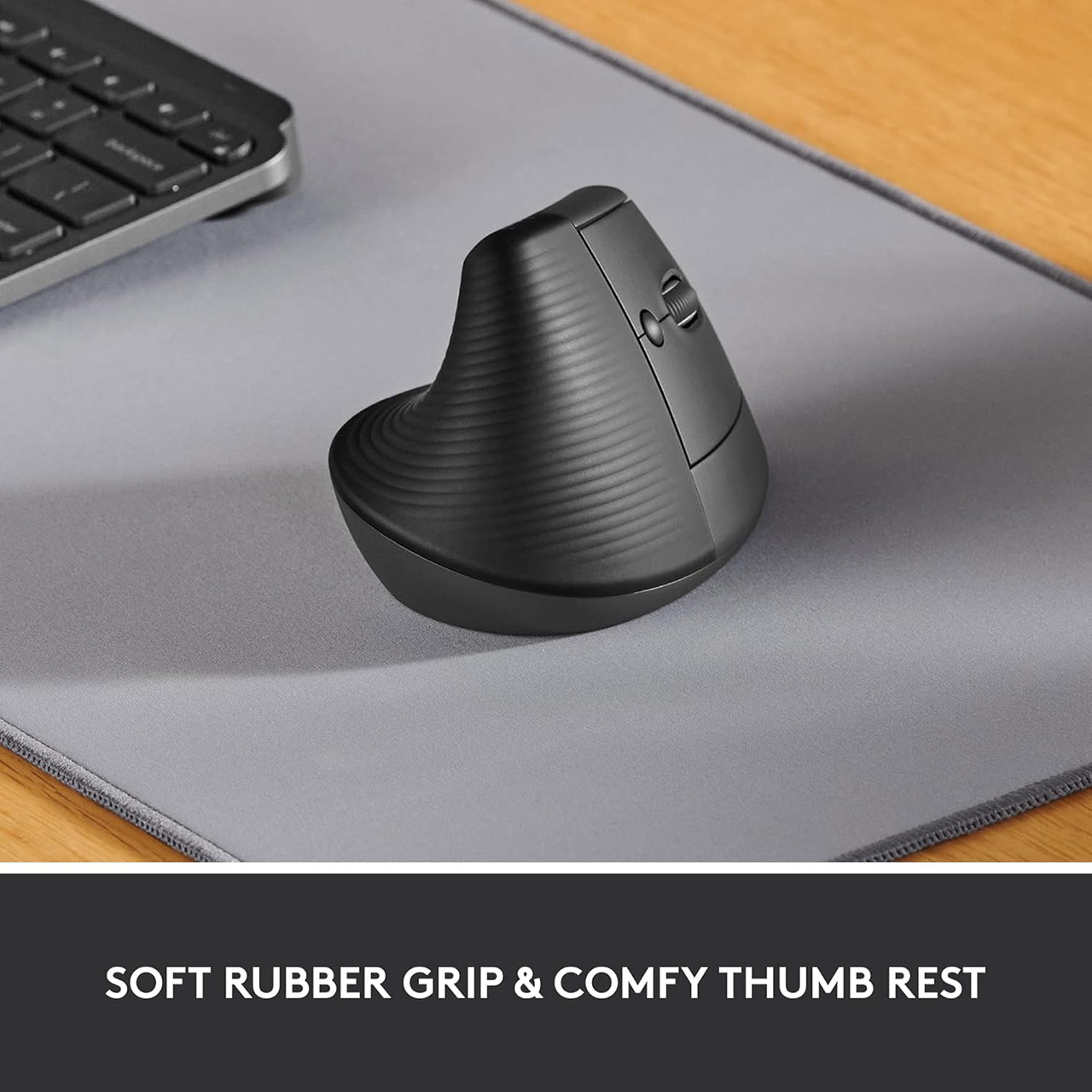
When you press the buttons on this mouse, they click with a quiet, satisfying snap – which is always nice. There are five in total, including that smooth spinny scroll wheel in the middle that’s just perfect for when you’re reading or scrolling through spreadsheets. And the side buttons are nice and easy to get to, without having to change your grip on the mouse. Plus, if you do need to do some back and forward in your browser, those side buttons can be customized to make your life easier. DPI settings can be adjusted from 400 to 4000, so you can get the sensitivity just right – whether you’re just browsing casually or getting down to some detailed photo editing.

Smaller hands will like this especially because Logitech developed it with palm sizes of up to 5.8 inches in mind. And that’s a wonderful compliment to all the people who are often forgotten by bulkier ergonomic designs. Textured grips around the edges prevent slipping, even during steamy summer sessions or lengthy editing days.
Throw it in with one of Logitech’s own keyboards or a basic desk mat, and the Lift just slots right in. Once you get used to the angle it works at, you’ll start to wonder how you ever managed with a flat mouse. And trust me, your next scroll session will be a whole lot less painful. Why put up with all that strain when relief is just a click away?