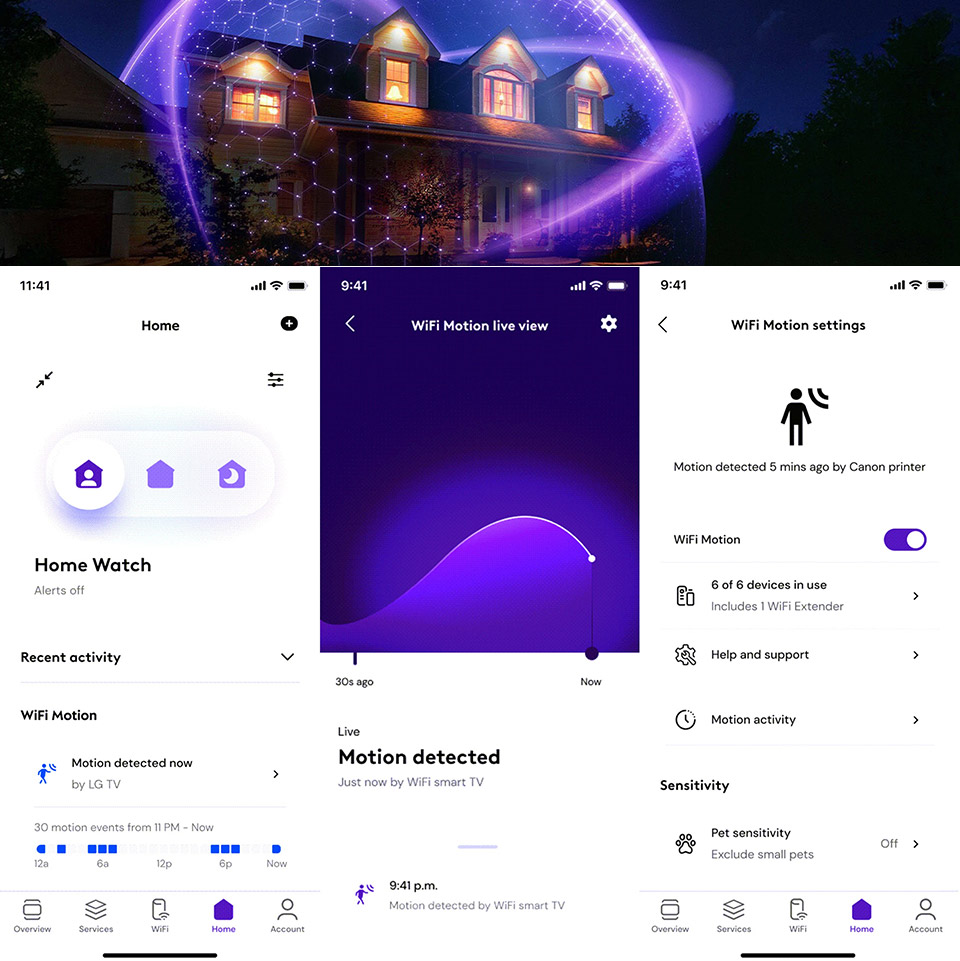
Comcast started rolling out Xfinity Shield this month, and the free piece that has everyone talking is WiFi Motion. Eligible internet customers who rent a recent Xfinity gateway can turn their existing Wi-Fi into a basic movement watcher without buying cameras or extra sensors. Radio waves already fly between the gateway and other gadgets that stay plugged in. A person walking through those paths changes how the waves arrive, and software in the box treats that change as motion.
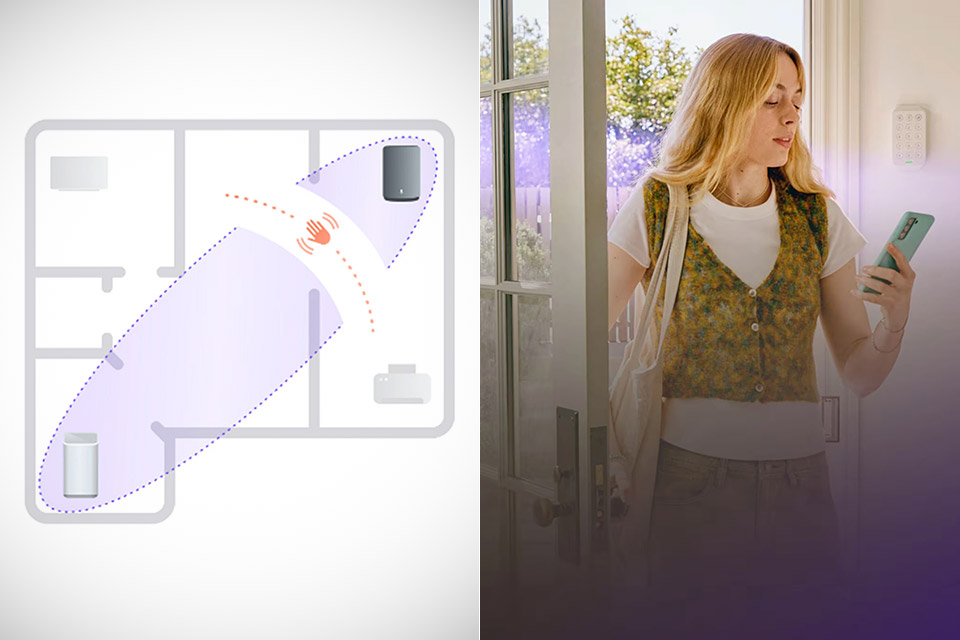
Compatible boxes include the Technicolor XB7, XB8, XB9, XB10, MXB1, and XER10 variants, with the exception of the CommScope XB7 units. Simply launch the Xfinity app and follow the steps to complete the setup process. You can connect up to five fixed Wi-Fi devices, such as a smart speaker, thermostat, or TV, as well as any approved XE2 extenders you may own. As you do this, you will begin to notice regions of your home that will shape up as oval zones, where activity will trigger notifications on your phone. If you walk through one of those zones and there is any motion near the hallway speaker, for example, a notification may appear. These events will actually be available in the app for a week.

- Get the whole picture – Watch over your home day or night in 1080p HD video with Live View and Color Night Vision.
- Video previews – Record a few extra seconds before every motion event with Advanced Pre-Roll to get a more complete picture of what happened.
- Privacy at your fingertips – Turn off your camera and mic with the manual Privacy Cover, then reactivate with a simple swivel.
Home Watch, Away Watch, and Dark Watch allow you to customize which notifications you get. Dark Watch is essentially the overnight option, and it may be configured to turn on automatically at nite. You can also experiment with the sensitivity level, setting it to low, medium, and high. The default settings detect even minor movements, including pets, but you may optionally apply a pet filter. However, this setting may miss a small child. It appears that where you place your gateway is far more crucial than most people realize. For the greatest results, choose a central, open place a few feet from the floor. Unfortunately, confined rooms, thick walls, and weak signal routes all work together to degrade overall reliability. Mobile devices, laptops, and wearables, as well as anything else with the potential to move independently, will not be considered “sensing partners.”
Apparently, Comcast spent three years fine-tuning the algorithms after being disappointed with their previous attempts. Linksys tried something similar and was withdrawn. However, company executives now assert that the most recent version is precise enough for everyday use in an average home. However, they are quick to stress out that it is not a replacement for proper cameras and door sensors. It’s also worth noting that professional monitoring is not included, so don’t expect someone to check your alerts in real time or call the cops for you.
WiFi Shield’s free tier also features CyberSecure network threat filtering and Family Settings, which allow you to establish screen time and website limits. Shield Select is a $15 monthly upgrade that includes an indoor camera, door and window sensors, cloud video storage, and 24-hour urgent response. If you’re willing to pay for the additional gear, WiFi Motion can be used in conjunction with camera notifications.
[Source]