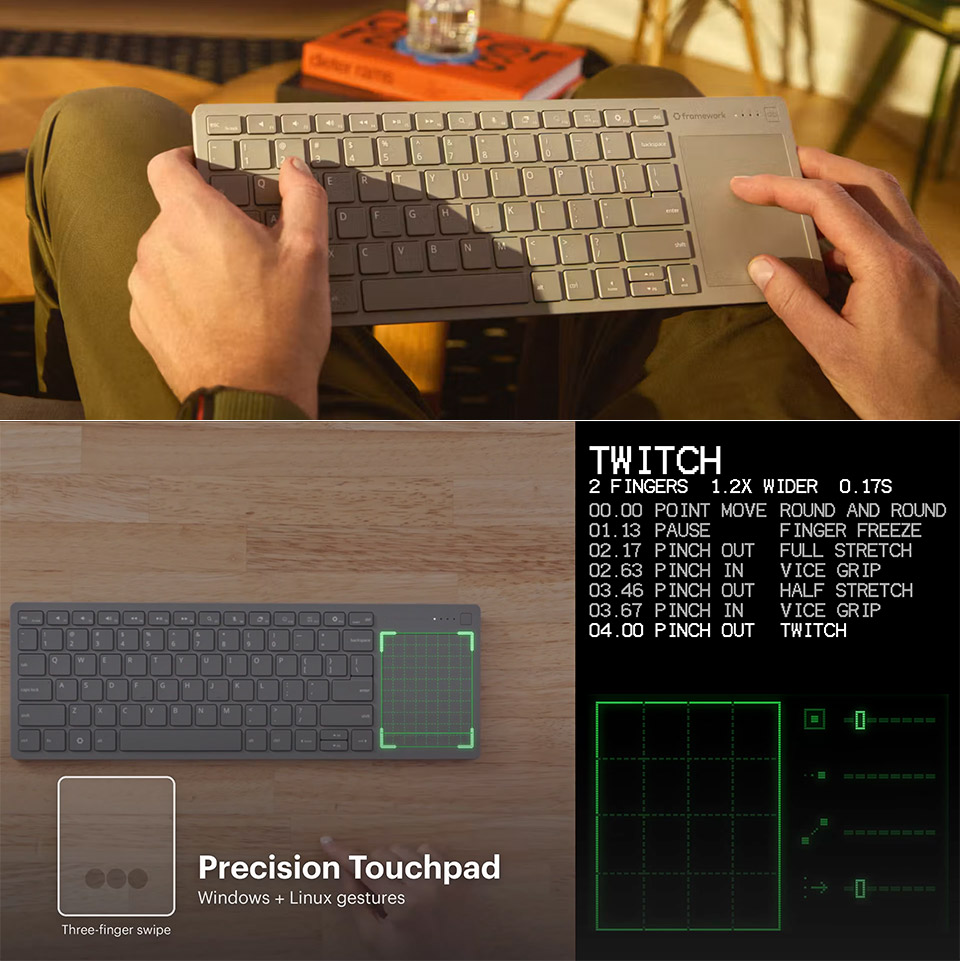
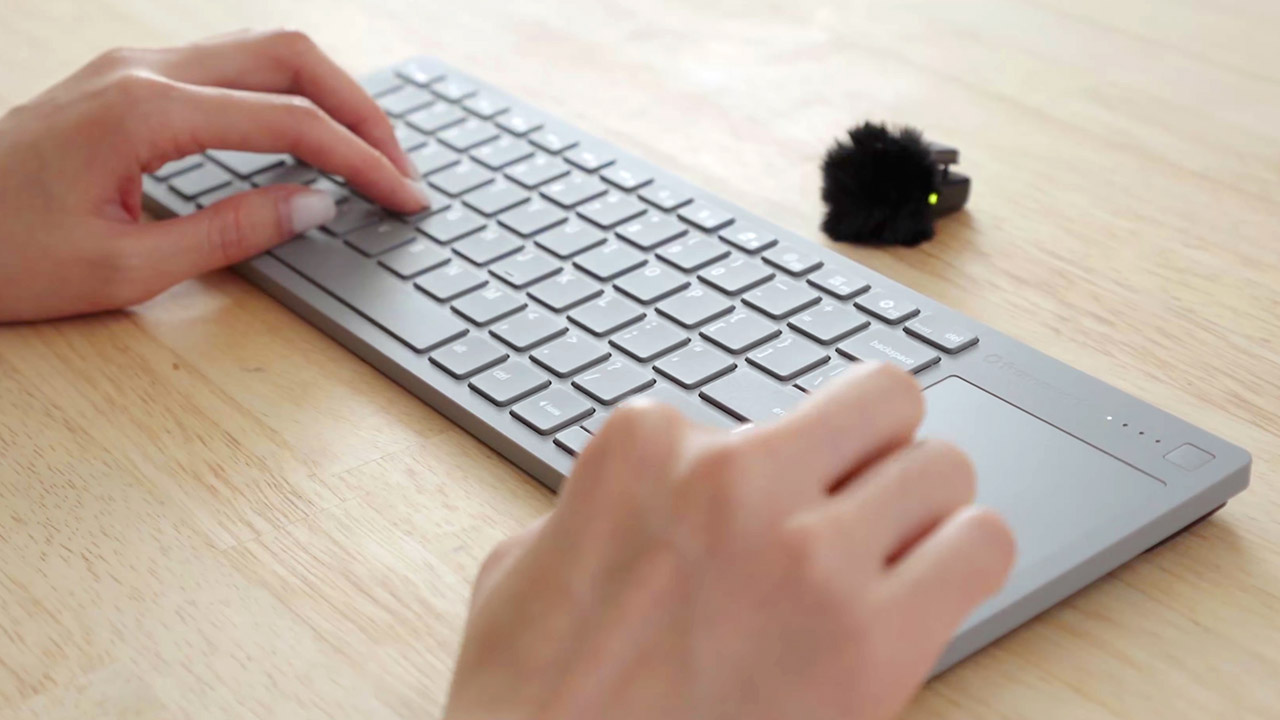
Couch evenings often end with a keyboard that bends under pressure or a touchpad that drifts across the screen. Framework’s Wireless Touchpad Keyboard arrives with a 0.8 mm steel plate under the keys, a slim 357 by 118.7 by 16.4 mm body, and a weight of 485 grams so the whole unit stays flat and steady even when it rests across your legs.
The keys are straight from the Framework Laptop 12 and include a scissor mechanism, 1.5 mm of travel, and a full 19 mm spacing for a more consistent feel than the typical soft or ambiguous keys. The front edge tapers in slightly, allowing your wrists to rest naturally while typing for hours. To add flair, the lower cover is translucent black, revealing the battery and circuits beneath, while the top surface remains pristine.
- Media-Friendly: The K400 Plus wireless touch TV keyboard gives you integrated, comfortable control of your PC-to-TV entertainment, eliminating the...
- Plug-and-Play: Simply plug the Unifying receiver into a USB port and the wireless touchpad keyboard is ready to go; adjust controls using the Logitech...
- Power-Packed: Built with laid-back control in mind, this wireless TV keyboard has a reliable and long battery life of up to 18 months (2), including...
Cursor control is located to the right of the keys on a very large 68.8 by 85.6 mm clickable surface. It operates at a smooth 120 Hz using the PixArt controller and only works with Windows and Linux; but, if you’re on a Mac, there’s a dedicated mode (Fn + O for three seconds) that transfers most of the movements and familiar shortcuts.
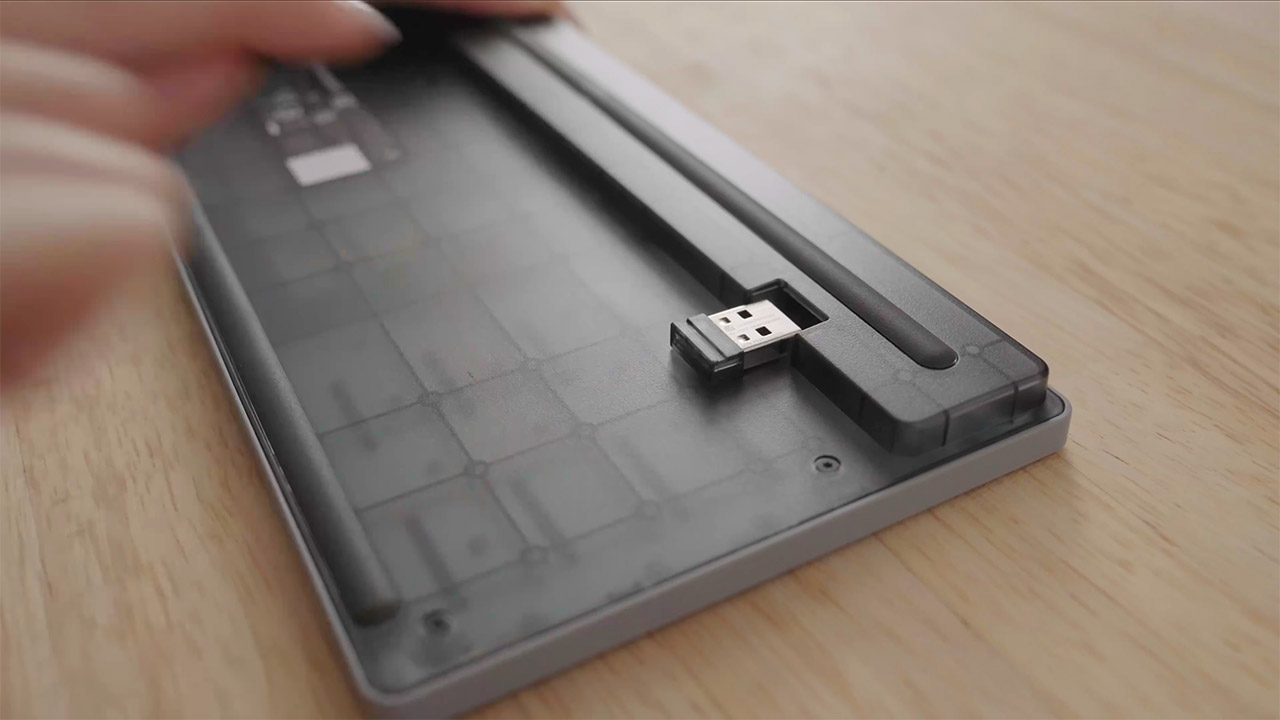
You can also pair the keyboard with four devices at once, one via the accompanying USB-A dongle, which neatly stores away in the rear, and three more via Bluetooth 6.0. A button allows you to switch between them instantly, and if you want ultra-low latency, a USB-C cable with 8 kHz polling is the way to go. Furthermore, both the dongle and the cable are operational as soon as you turn on the keyboard, thus BIOS menus are not an issue.
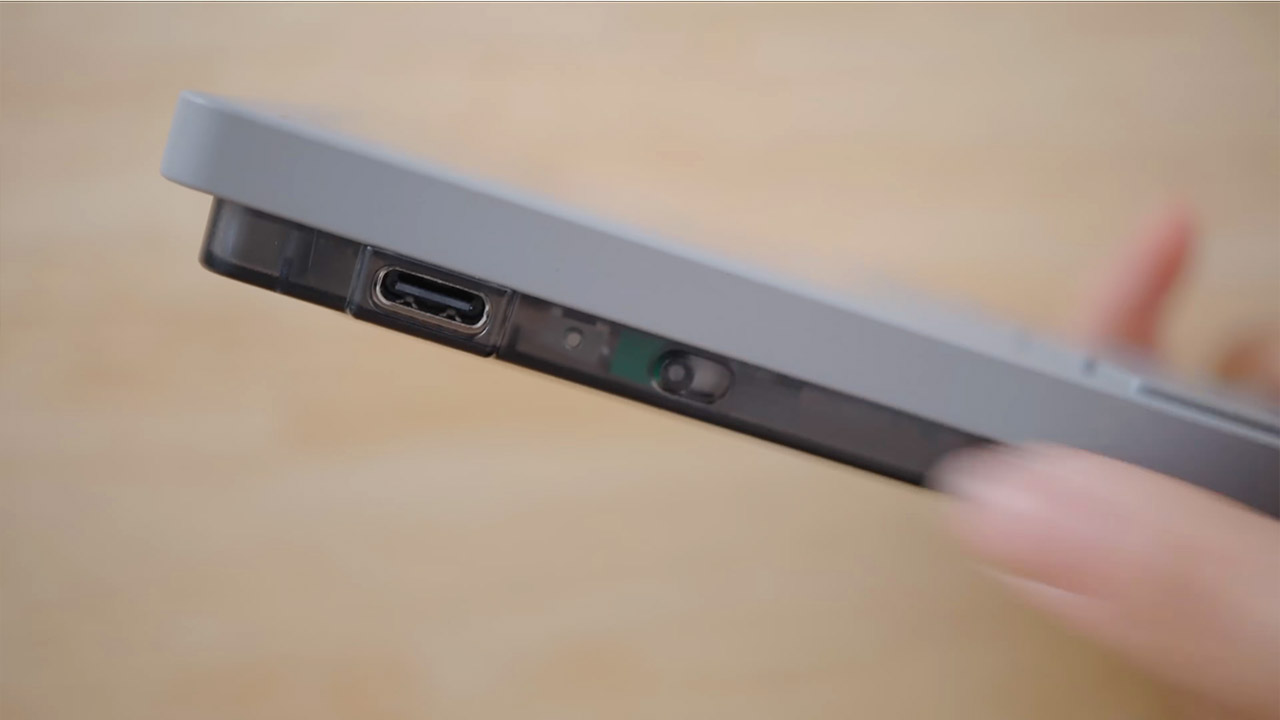
The battery life comes from a changeable 1,200 mAh pack, which Framework claims will last you well over a month if you type for hours every day, or well over a year if the keyboard is just collecting dust. In idle mode, the current draw is only 50 microamps, making it ideal for leaving the remote next to the keyboard for weeks at a time. For the tinkerers out there, firmware is an open-source derivative of ZMK, so you can quickly remap your keys in a browser using ZMK Studio without having to deal with flashing new code. Furthermore, the CAD files for the entire system, including the chassis, control board, and battery, are currently available, and the control board will be sold separately if you want to create a bespoke keyboard around the radio.
Pre-orders opened on November 17 for $99, with a fully refundable $50 deposit. First batches are expected to ship in Q1 2027, which is a touch high at about three times the price of a Logitech K400. Furthermore, the beefed-up laptop keys, solid steel plate, and mind-boggling standby time (not to mention the published design files) are aimed squarely at people who want to take their keyboard on the road, or at least between the living room PC, Raspberry Pi, game console, and workbench without feeling stuck with a temporary solution.