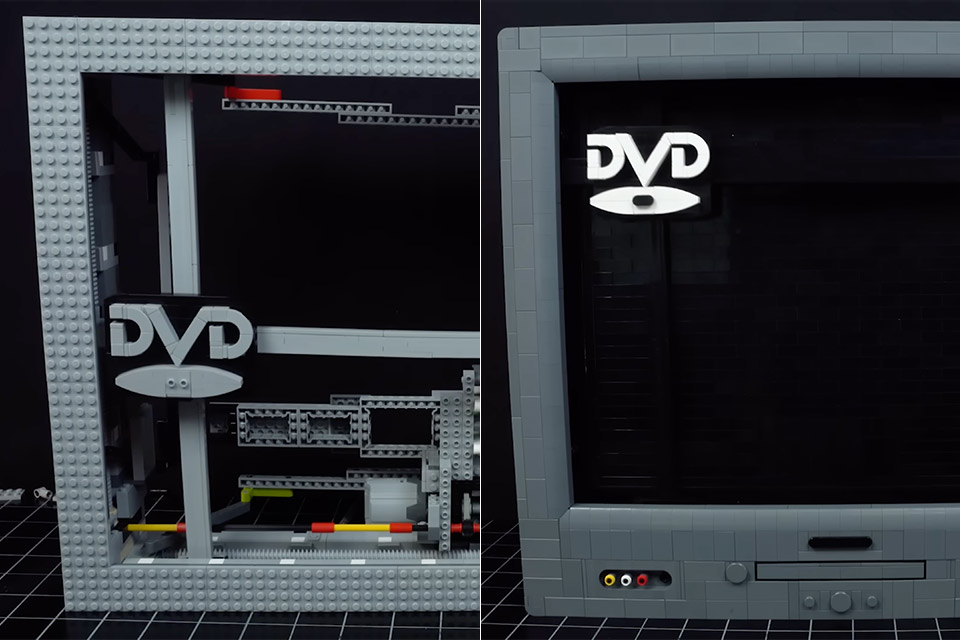
LEGO master Grant Davis came up with a simple idea: build a LEGO machine that mimics the DVD logo screensaver, a nostalgic image from the late 1990s and early 2000s that flickered across countless TV screens.
Most remember the logo moving at a constant pace, reversing on impact and then continuing to dance around the screen. To translate this into a real LEGO structure, a mechanism that can reverse instantly was needed. His first attempt, using a circular gear system, failed. The logo slowed as it hit the wall and slowly backed away, instead of snapping back like the screensaver. After some thought, Davis went to LEGO treads, the tank-like tracks found on excavator sets. By attaching the logo to a tire looped around specific gears, he could get a more authentic bounce with a consistent pace and pause at the wall’s edge.

- Features a buildable LEGO model of the McCallisters’ house with walls and roof that open up for easy access, tree house and crooks’ van
- Functions include swinging paint cans, a basement furnace that lights up, and a lever to push Kevin down the stairs on his sledge
- Discover details that spark memories of hilarious movie moments in every room in the house and inside the van
Building the DVD logo required a design that was both recognizable and functional within the limits of LEGO bricks. So, a simplified version of the logo was required, with curved slope pieces forming the disc shape, rounded tiles for the “D” letters and little slope pieces for the “V”.
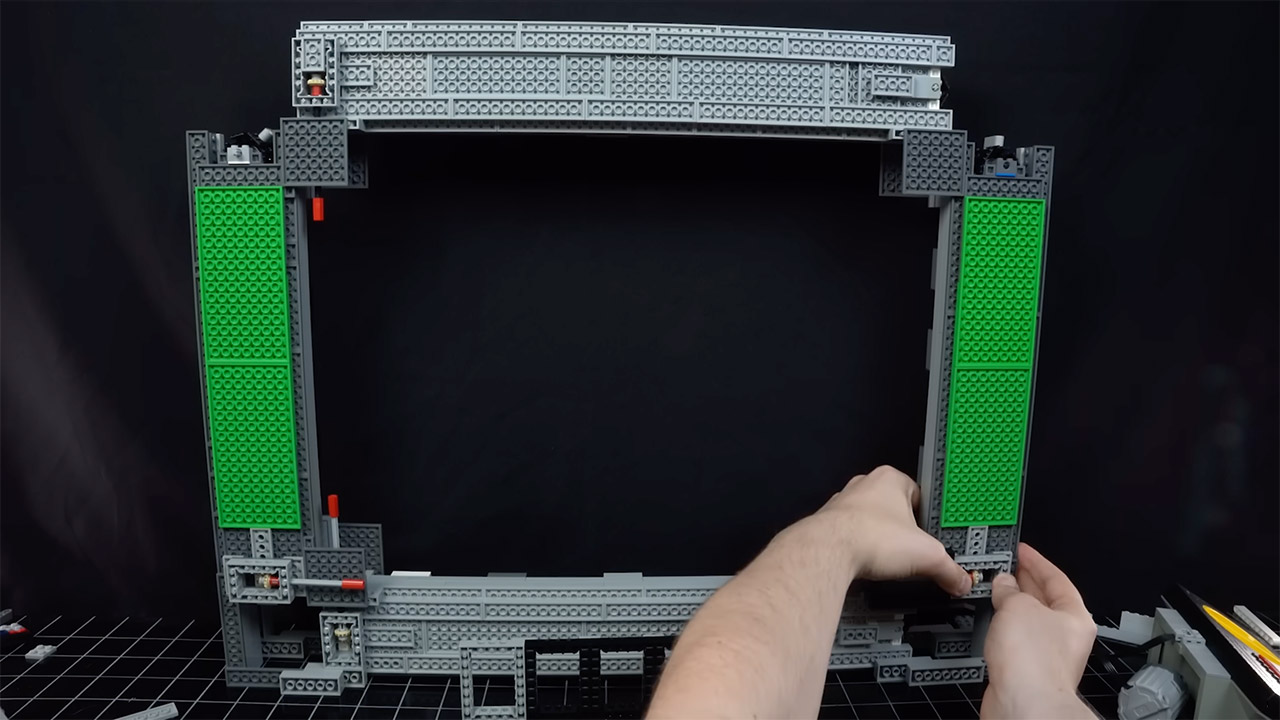
The frame, powered by a single LEGO Technic motor, became a battle of stability vs functionality. Early versions wobbled as the treads moved, so Davis enclosed them in a cage of bricks and Technic beams to reduce flex. Long axles connected the four treads – two for horizontal motion and two for vertical – so a single motor could power the whole system. The logo bounced a few times before the machine failed, which meant Davis had a tough decision to make: stick with the treads or try a new approach.
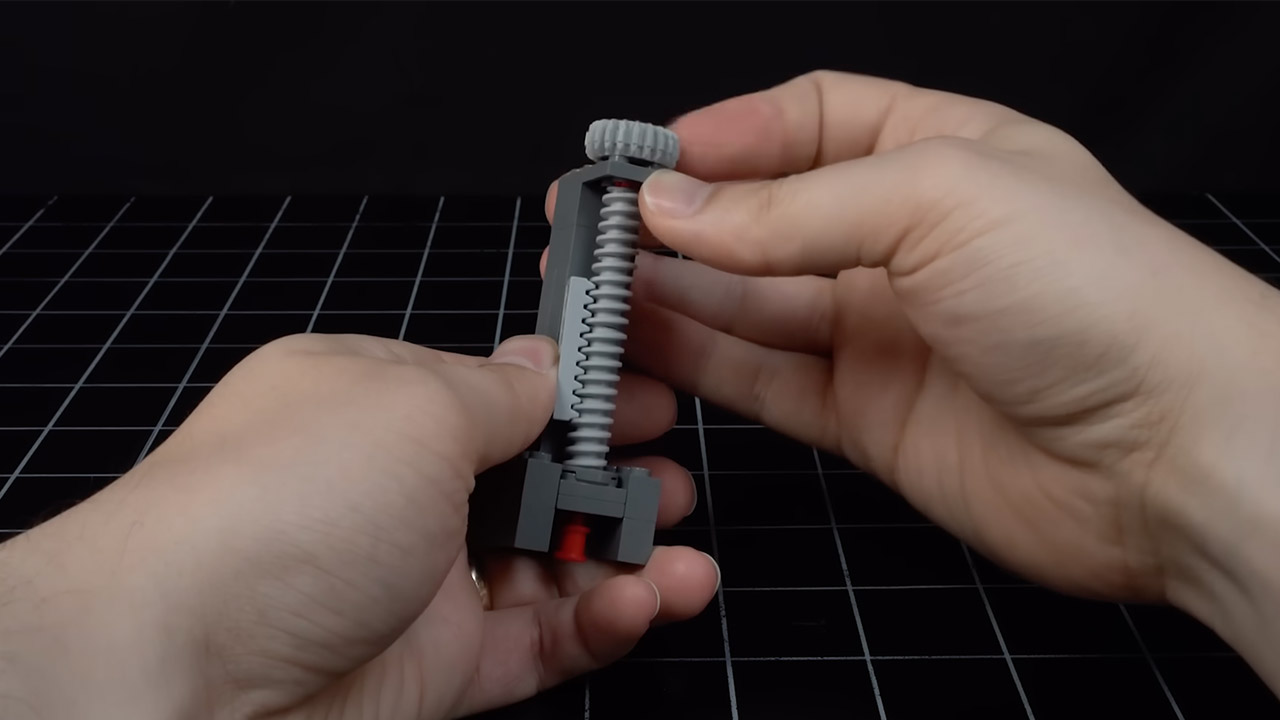
LEGO worm gears, a piece shaped like a worm wrapped around an axle, claimed more control by rotating a flat gear up and down with each turn. Davis saw potential, but hit a snag: worm gears only move in one direction, no matter the motor’s spin. To get the logo to bounce back and forth like the screensaver, he needed a device to mechanically reverse the motor. His first attempt used a gearbox with two blue gears spinning in opposite directions, which were switched by a gray piece to rotate the axle. Davis tried thicker rubber bands, and then a LEGO switch that reversed the motor directly. It worked, but with a tiny delay when it went into the “off” position.
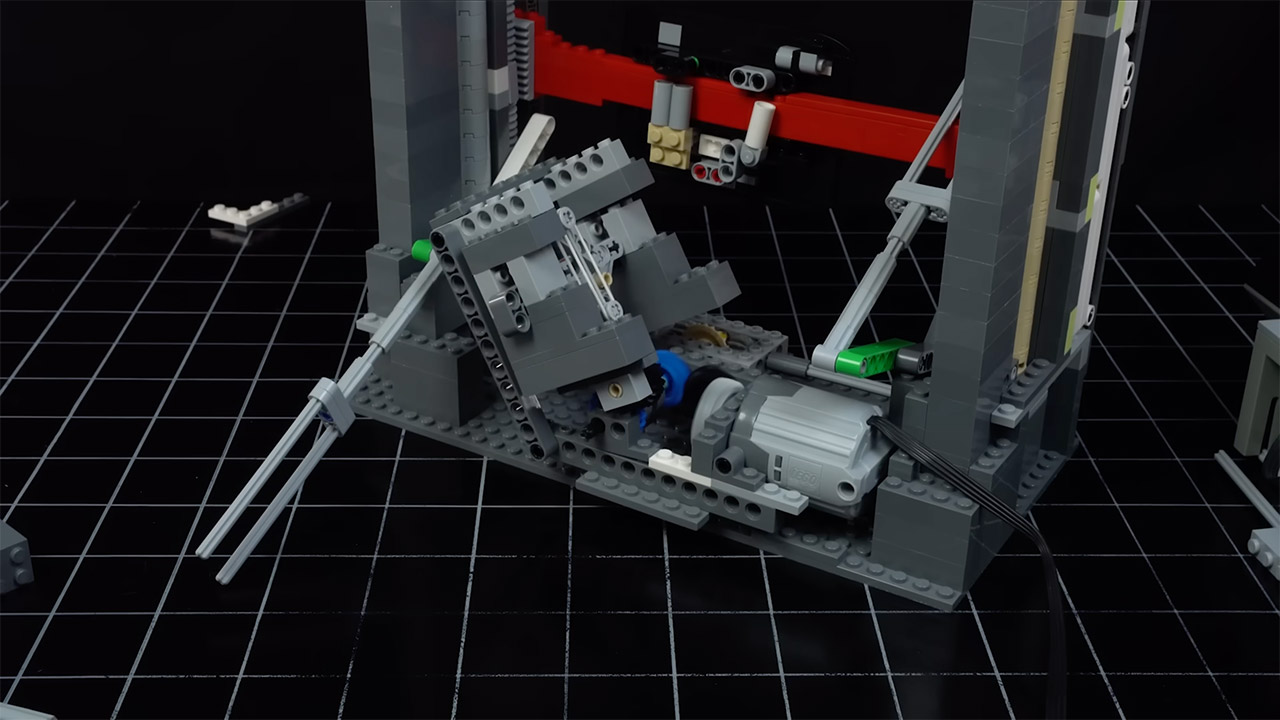
This had him going back to his gearbox design and refining it to remove friction. He moved the rubber bands to pull from the side, so they would toggle smoothly even at full speed. The result was an instant direction change, just like the screensaver’s snap. Levers that toggled the mechanism when the logo reached the top or bottom of its path were added to make it a hands-free process.
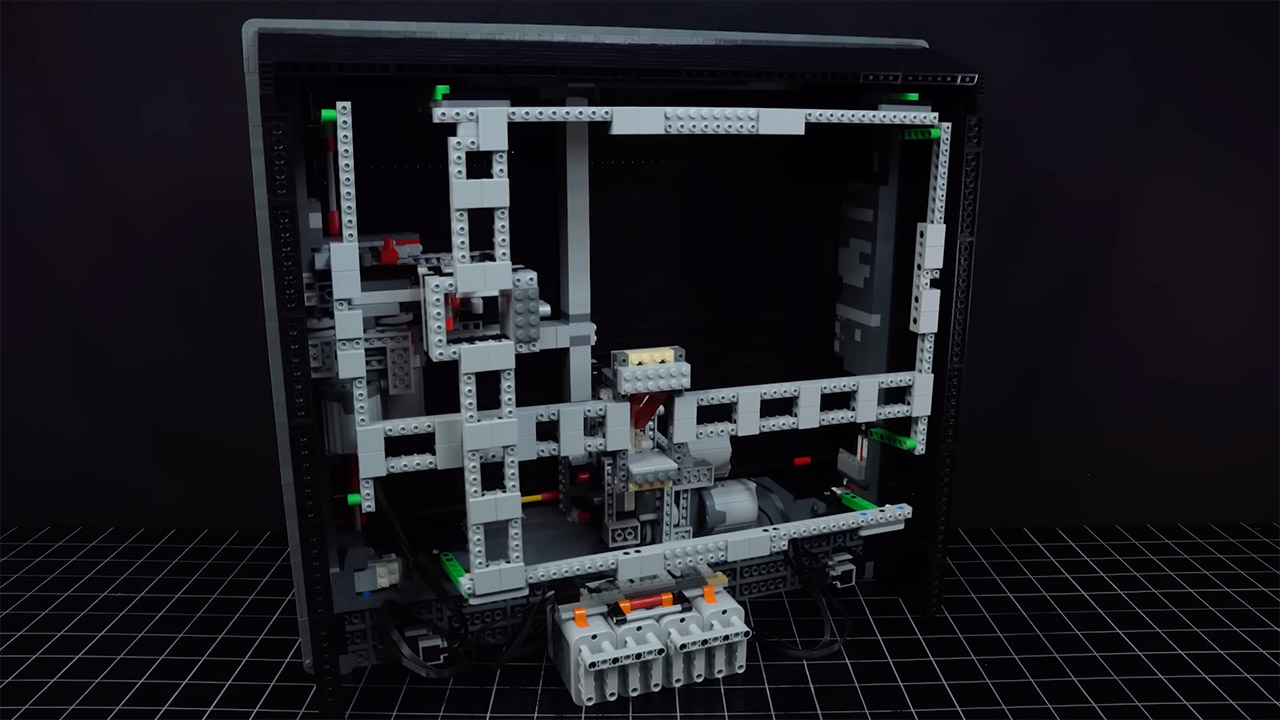
Scaling up to a full-size TV presented new challenges because Davis wanted a 16:9 aspect ratio like a modern flatscreen, which meant worm gears on all four sides. The larger structure required stronger supports, especially across a 60-stud gap at the top. He used plates flipped on their sides for stability, but forgot to leave room for the toggle mechanisms, so he had to do some last-minute “plastic surgery” to free up some space.
[Source]