

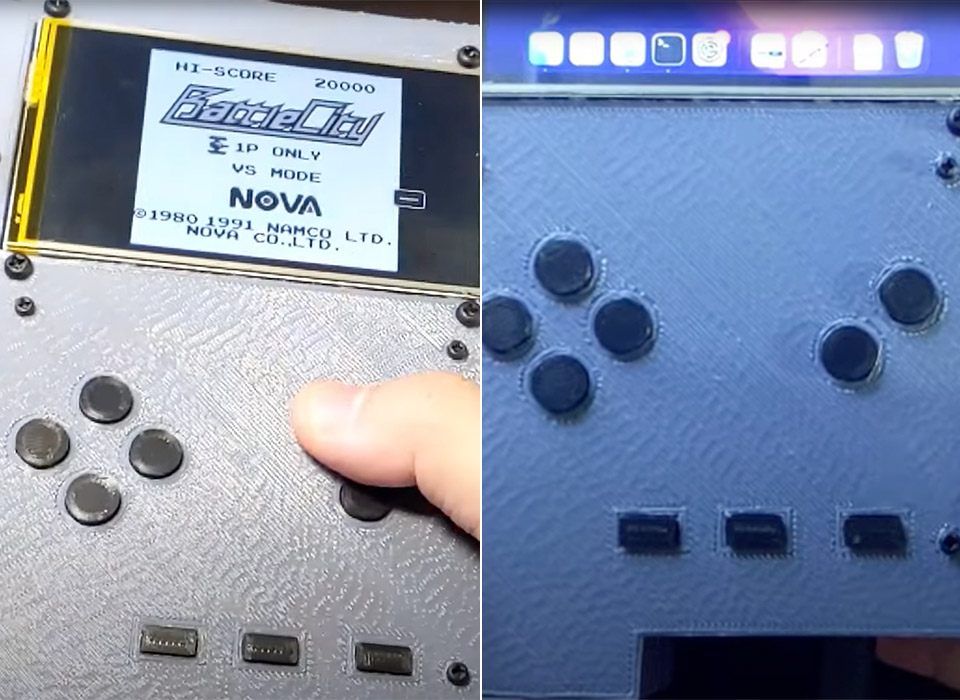
Ok, so this isn’t exactly as pocket-friendly as a classic Nintendo Game Boy, but this custom creation does run macOS Monterey. How? It’s essentially a handheld computer powered by a LattePanda Alpha board. This board has an Arduino (open-source electronics platform) integrated to map the Game Boy buttons as well as the resistive touch screen. The device uses a Python script to communicate with the macOS system, allowing it to emulate mouse movements and key presses.
The touch function is non-functional not because of hardware issues, but because the modder accidentally damaged the touch-sensitive system while working on the display module. However, it can still easily switch between Game Boy mode and macOS Monterey, complete with seven push buttons designed for gaming on-the-go. Want to connect a keyboard, mouse or display? Simply plug it into the USB connector.

- Resume Printing Function: no worry to the immediate power outage or electric circuit error, Ender 3 has the ability to resume printing even after a...
- Creality Ender 3 3d printer, it is the most basic 3d printer model, more students and beginners can learn the 3d printer by this model, it can help to...
- Advanced Extruder Technology: Ender 3 upgraded extruder greatly reduces plugging risk and bad extrustion; V-shape with POM wheels make it move...

