Valve just released Steam Machine, a compact computer designed to run SteamOS in living room settings. It arrives as a small black cube with ports along the base and a simple power button. The package includes a matching controller and targets people who want console convenience without giving up access to a full game library. A popular YouTuber who focuses on hardware decided to explore what sits inside one of these units. ETA Prime bought the 2TB version and set out to document every step of opening it while also pushing the specifications higher.
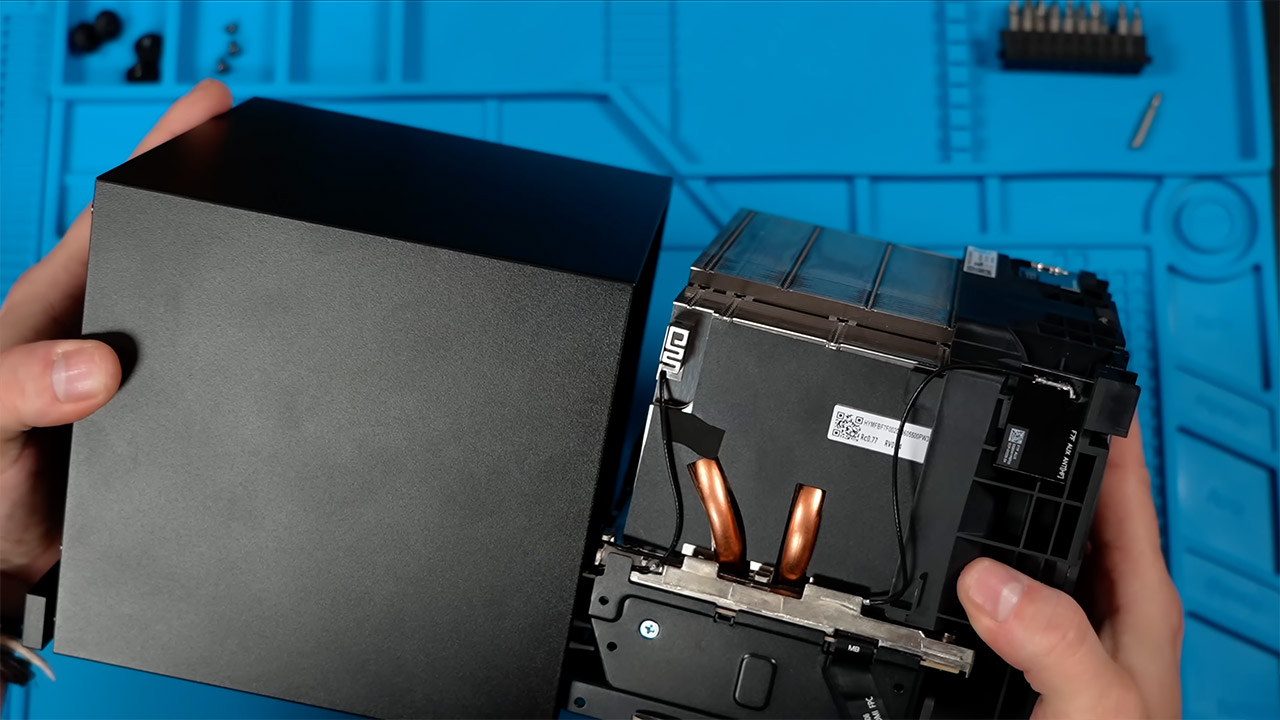
The outer casing is made of plastic, with a metal-reinforced rear part for added strength. A few screws hold the whole contraption together, with two in the rear and four more buried in the rubber feet. To detach the faceplate, press firmly down with a plastic spudger along the front edge, taking care not to yank it off with brutal force. Inside the case, a large cooling system takes center stage; copper pipes and thick aluminum fins do an excellent job of keeping the processor and graphics chip cool, and a custom fan is hidden in its own small shroud. The motherboard is wedged between the cooling block and the power supply, explaining why it appears tight at first glance.

- High-Performance Computing: Harness the power of the AMD Ryzen Z2 Extreme processor to effortlessly handle demanding tasks. Enjoy reliable...
- Simplistic Design: Enjoy the latest generation of Windows 11 Home for your everyday needs. MSI recommends Windows 11 Pro for business use.
- Perfection Through Anthropometry: As a handheld device, Claw has achieved the optimal balance between its grip and weight. We have meticulously...
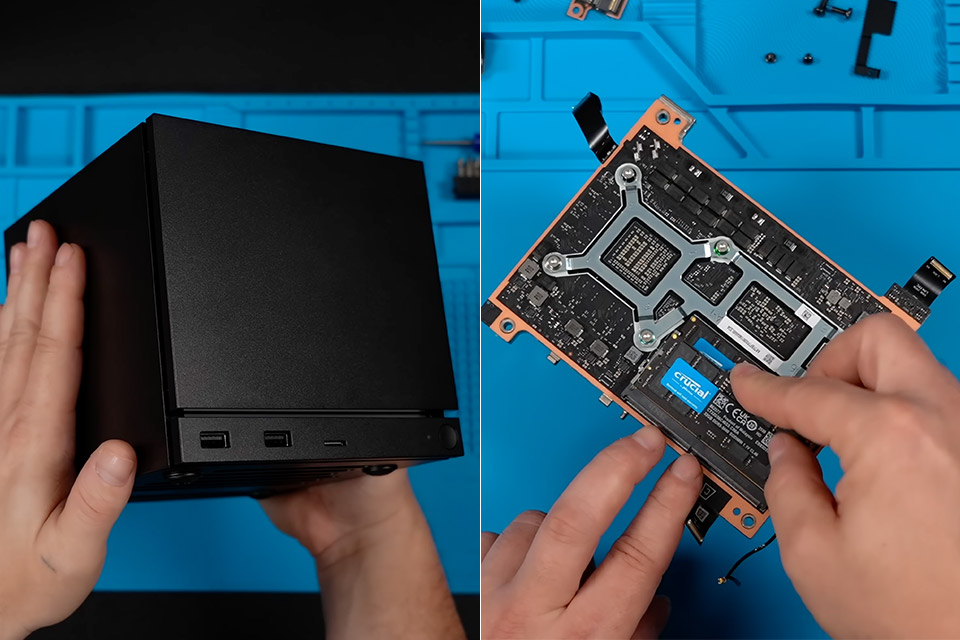
Getting to the memory is a little difficult because you have to detach the antenna cables for the wireless features and remove a few screws from the small boards near the ports before sliding the whole internal assembly out. The heatsink assembly is removed using four screws, however there is no need to reapply thermal paste because the contact surfaces remain intact throughout the process. One memory stick was already installed and running in single channel mode, but ETA Prime removed it and replaced it with a matched pair of 32GB Crucial modules. They match the original speed rating exactly, and with both modules installed, the system now claims 64GB of memory, with approximately 62GB accessible for use. When the second stick is inserted, dual channel operation is instantly enabled.
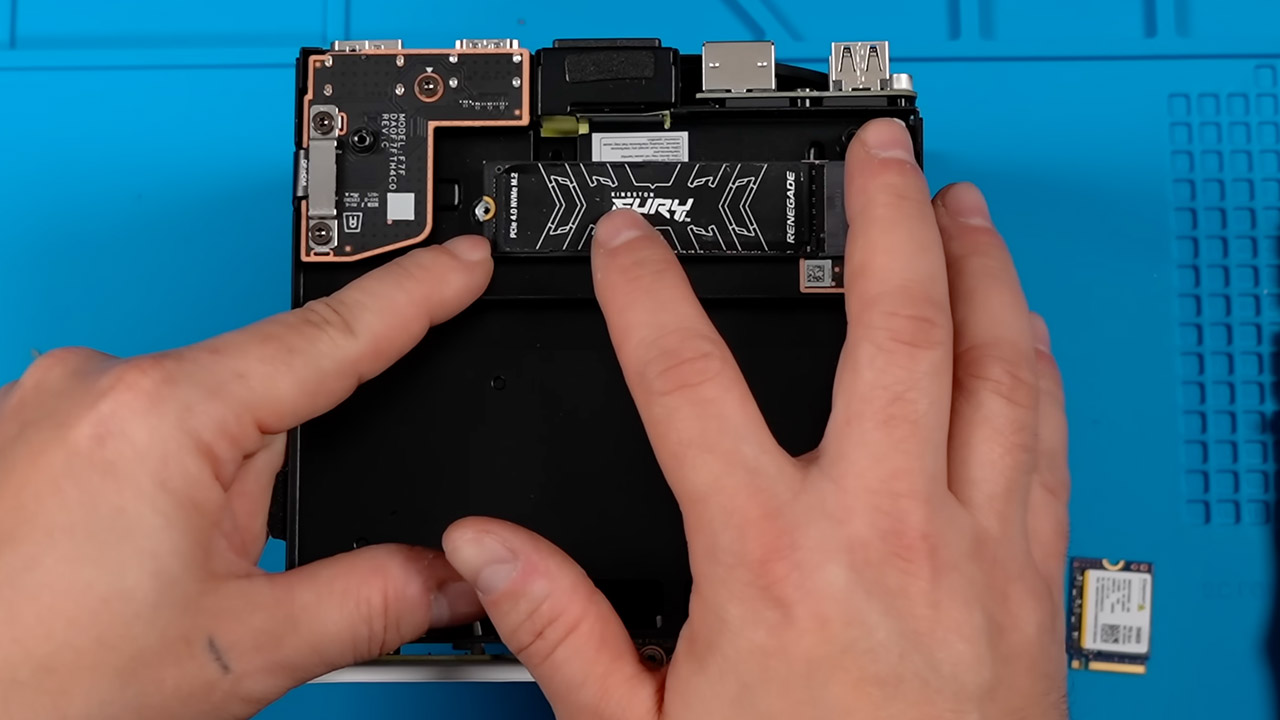
To be honest, storage access is straightforward because you only need to remove one panel on the side to see the drive region. The OEM device featured a smaller 2230 size M.2 solid state drive attached via an adapter and ribbon cable, however there was just enough room in the chassis for a full size 2280 drive, thus no modifications were necessary. A 4TB Kingston Fury Renegade drive replaced the original, and the read and write speeds are far quicker than before. To avoid having to reinstall the operating system, the previous disk was cloned onto the new one with free software on a different computer, which proceeded smoothly. After installation, the bigger drive exhibited its full capacity.
Reassembly is simple and gets everything back up and running quickly. You reattach the cables in the opposite sequence, screw everything back in place, and the outer case clicks into its groove. The computer booted into SteamOS without any warnings or missing hardware messages. The system information appears immediately, including the total memory quantity and the new storage size, with little fuss. Gameplay tests revealed that it continues to play as smoothly as possible, with occasional slight frame rate increases. For instance, the graphics chip only has 8GB of video RAM, thus adding system memory will make little impact in more demanding titles. Nonetheless, the dual channel RAM and increased storage facilitate multitasking and allow you to save a big number of games on the laptop without the use of external media.

However, the hardware required for the improvements is somewhat expensive, with the new memory kit costing around $820 and the new solid state drive costing nearly $1,000. Then you have to factor in the initial purchase price to get to around $3,247 for the full setup. Some believe that 64GB of RAM is too much for this system, but it’s comforting to know that Valve left the design open to a number of upgrades in important areas. Storage upgrades are easy and require little specialized tools.
[Source]