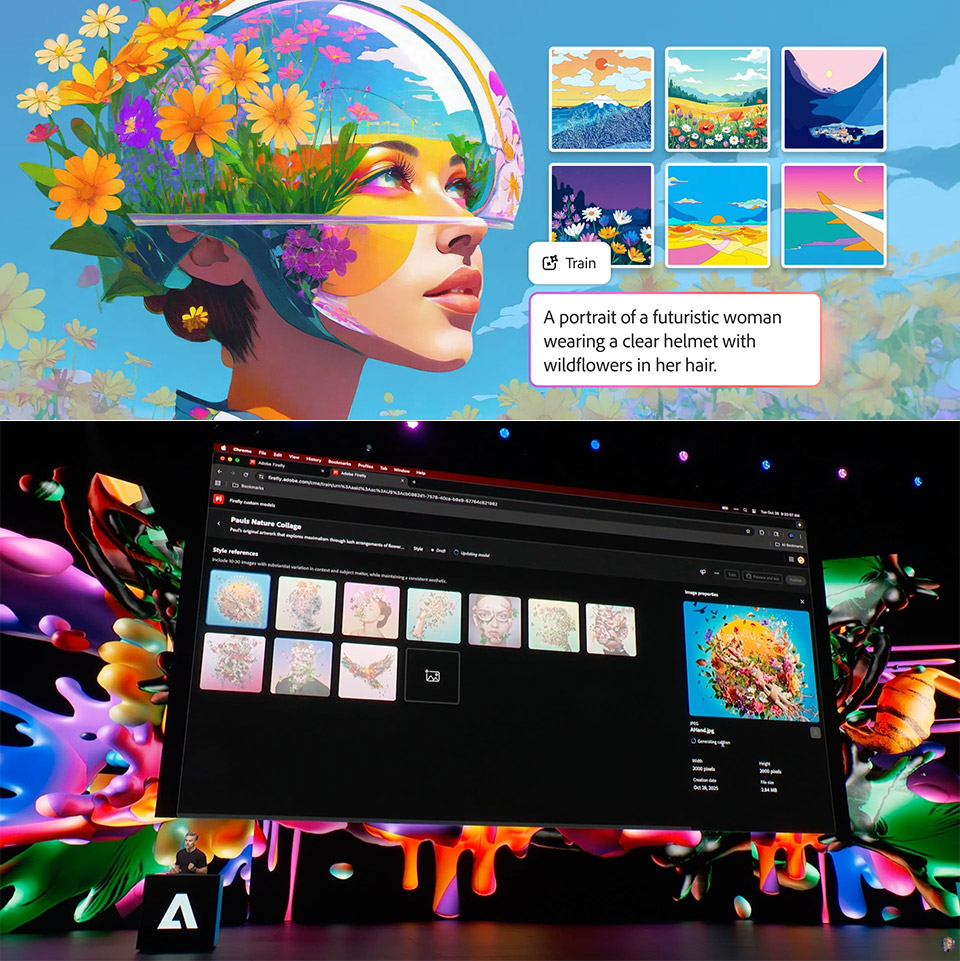
Firefly Custom Models allows creators to train Adobe’s image generator using their own work, which means you get a reusable AI tool that can generate new images in the same style and feel as the originals. Sign in to the Firefly website using your Creative Cloud login, then navigate to the Custom Models section.
First, select a use case from the dropdown menu; will you be working on illustration, photorealistic photos, or perhaps character designs? This focuses the training so that the results match the mood you’re looking for. Next, upload 10-30 photographs by dragging and dropping them directly into the interface. For the greatest results, Adobe recommends taking clean, varied photos. For lifestyle photographs, strive to get people to appear their best against beautiful lighting and simple backgrounds. Consistent colour palettes and balanced compositions perform particularly well for illustrations.

- HELLO, MACBOOK NEO — Ready for whatever your day brings, MacBook Neo flies through everyday tasks and apps. Choose from four stunning colors in a...
- THE MOST COLORFUL MACBOOK LINEUP EVER — Choose from Silver, Blush, Citrus, or Indigo — each with a color-coordinated keyboard to complete the...
- POWER FOR EVERYDAY TASKS — Ready the moment you open it, MacBook Neo with the A18 Pro chip delivers the performance and AI capabilities you need to...
The system works its magic, and you’ll be taken to a review screen where you can double-check your captions and ensure you’ve highlighted all of the important features, such as lighting and line quality. The goal is the same as before: these annotations assist the model learn what you’re looking for. Once you’re satisfied, press the train button, and it will take care of the rest in the background.
Once completed, your new model is ready to use; simply insert it into Firefly’s standard options and you’re good to go. Try it out in the text-to-image tool or on Firefly Boards; simply select your custom model from the list, enter your prompt, and see what happens. You should get images that capture the spirit of your originals, with the same line weight, color balance, lighting, and character features. A single photoshoot might result in an entire series of fresh-looking situations, and the same is true for an illustrator’s style.
Your models are private by default, so you stay in full control of what you have built. Sharing is entirely opt in, and you decide who gets access and which projects they appear on. Since everything is trained on your own assets, commercial use is straightforward with no grey areas around ownership. From there the workflow is seamless, generate a batch in Firefly and send the results straight to Photoshop or any other Creative Cloud tool for editing. You can also switch between your custom models and the standard Firefly models at any point mid project, whether you want to compare the two or blend them together.
This is all part of the public beta for Creative Cloud Individual and Teams subscribers, and there is no queue to join. For the time being, training is only available on the web version, but we’re working to get it into the desktop apps soon. Just in case the environment changes while you’re not looking, Adobe included a retrain option, so when the Firefly team makes an update, you can simply hit refresh and your model will be ready to go without having to restart.