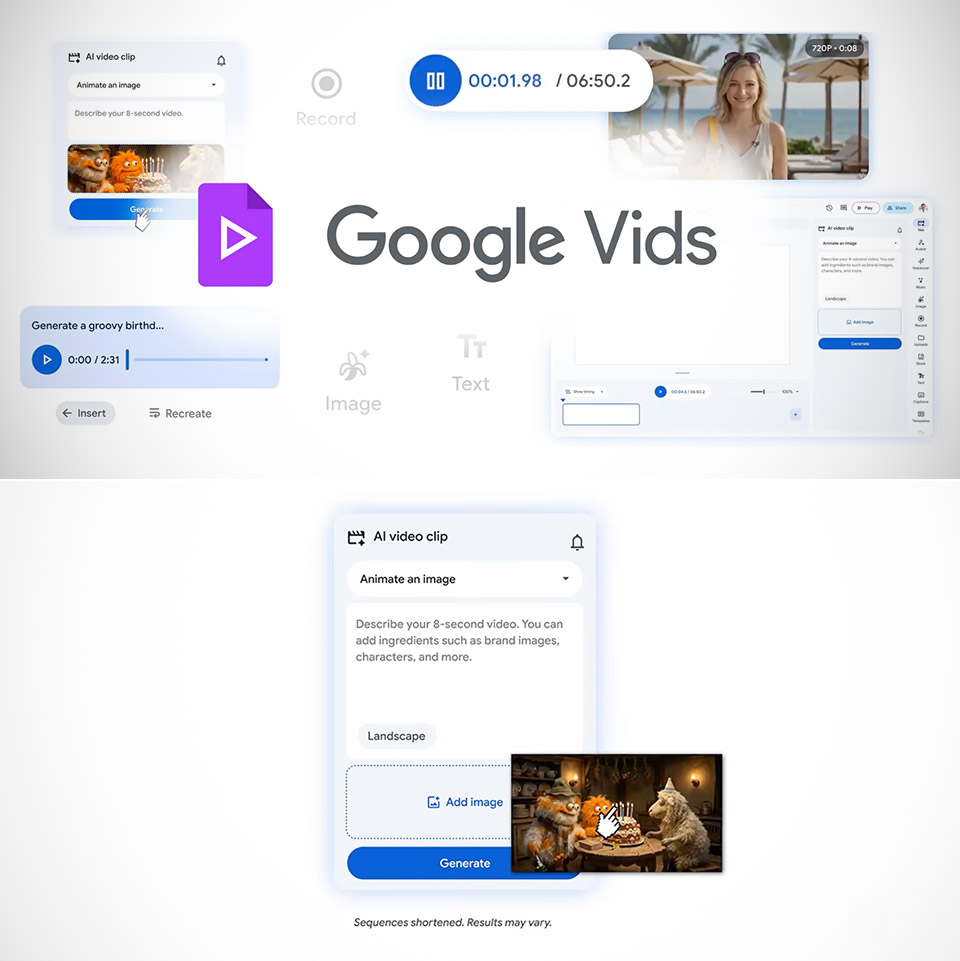
Video making has long required breaking the bank or devoting hours to learning complex software. Google Vids eliminates all of those hassles at once. If you already have a Google account, you can create, edit, and share videos right from your browser, no downloads or subscriptions required.
Things start when you enter a brief description of what you wan to show. Google Vids creates a storyboard for you, with sequences arranged in order and ready to go. You can add any photographs or documents from your Google Drive to fill out the scenes, or let the service recommend some appropriate stock video. Then it’s just a matter of dragging clips about on a simple timeline to get the timing correct, removing any unnecessary sections, and layering in text to appear at the appropriate time.
- Google Pixel 10 is the everyday phone unlike anything else; it has Google Tensor G5, Pixel’s most powerful chip, an incredible camera, and advanced...
- Unlocked Android phone gives you the flexibility to change carriers and choose your own data plan[2]; it works - Google Fi, Verizon, T-Mobile, AT&T...
- The upgraded triple rear camera system has a new 5x telephoto lens - up to 20x Super Res Zoom for stunning detail from far away; Night Sight takes...
Audio work is also rather simple, since you can just record a voiceover using a built-in teleprompter that scrolls along at your desired speed. The editor even has your back when it comes to filler words, detecting them automatically and allowing you to remove them with a single click. Soundtracks and sound effects are simply dropped in from a collection of alternatives that match the mood of each scenario. New video clips can be created directly from a prompt entered into the editor. Veo 3.1 creates eight-second segments with motion and native music; you receive ten of them per month for free, but higher-tier members get far more, up to a thousand per month.
On top of that, avatars add a really personal touch. You choose a character or design one from yourself, and then simply spell out the instructions, such as “take up the product and demonstrate how it works while smiling at the camera.” The avatar then follows those directions, maintaining the same face and attire throughout each shot, and interacting naturally with any accessories or backgrounds you’ve selected. You can alter the entire thing using plain text, so the same character can appear in training videos, product demos, and team updates without ever having to face a real camera.
A new Chrome addon makes screen recording incredibly simple. With one click, whatever is on your desktop, including audio, is recorded and dropped directly into the editor for chopping and assembling. Finished videos export directly to YouTube as private drafts, allowing you to review them before sharing them with the world. Google announced all of these enhancements on April 2, 2026, adding on capabilities previously launched for enterprise users and offering the service accessible to anybody who wants to turn a concept into a shareable film in minutes rather than days.