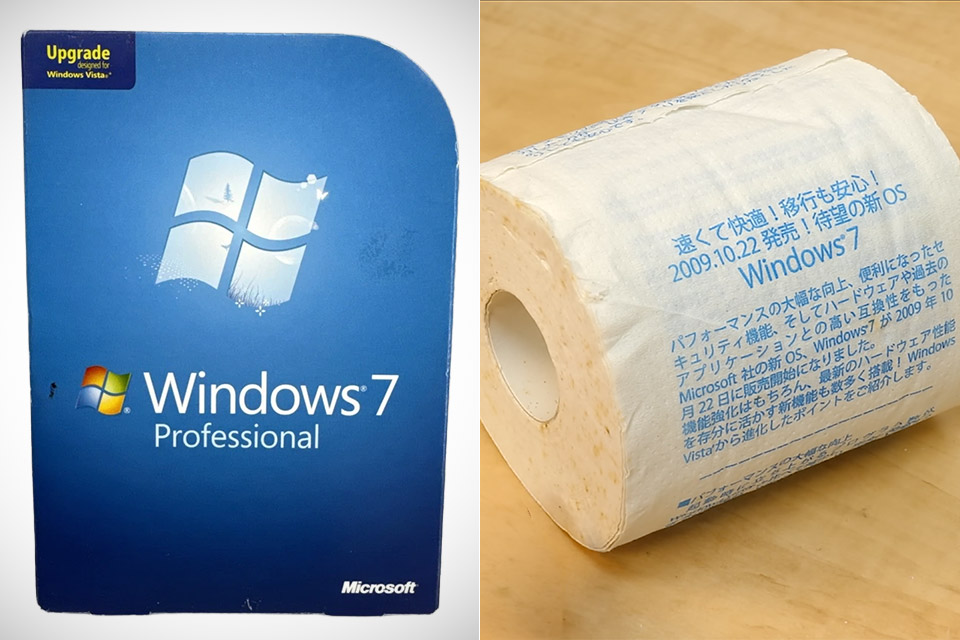
Japan approached the October 22, 2009 launch of Windows 7 with typical enthusiasm for new technology and a flair for memorable promotions. In select stores, buyers encountered something far more unusual than posters or demo kiosks. A standard roll of toilet paper carried the Windows 7 name and a full rundown of its improvements directly on the sheets.
This item was advertised in the similar way that Windows Vista Service Pack 1 was a year or so ago, with promotional paper rolls distributed in Akihabara and other retailers that printed out all of the upgrading information. The same strategy was carried over into the broader Windows 7 rollout, but this time, perhaps due to laziness, they used plain old toilet paper as advertising material. From a distance, the roll looked like any other roll of toilet paper, and the bulk of the models were made of the same two- or three-ply paper you’d get at home.

- [This is a Copilot+ PC] — A new AI era begins. Experience enhanced performance and AI capabilities with Copilot+ PC, boosting productivity with...
- [Introducing Surface Pro 13” Touchscreen Display] — The most flexible, powerful 2-in-1 laptop and tablet with AI-accelerated Copilot+ experiences...
- [Flexibility at Any Angle] — Use with the detachable Surface Pro Flex Keyboard (sold separately). Shift from tablet to laptop to sketchbook with its...
Only with closer inspection did you see the repeated Japanese lettering on the surface. At the top, it would state that the new operating system was fast, comfortable, and reassuring for those upgrading from an older version, and it would even include the release date as well as a promise that it would significantly improve the speed, security, and compatibility of your existing hardware and programs.
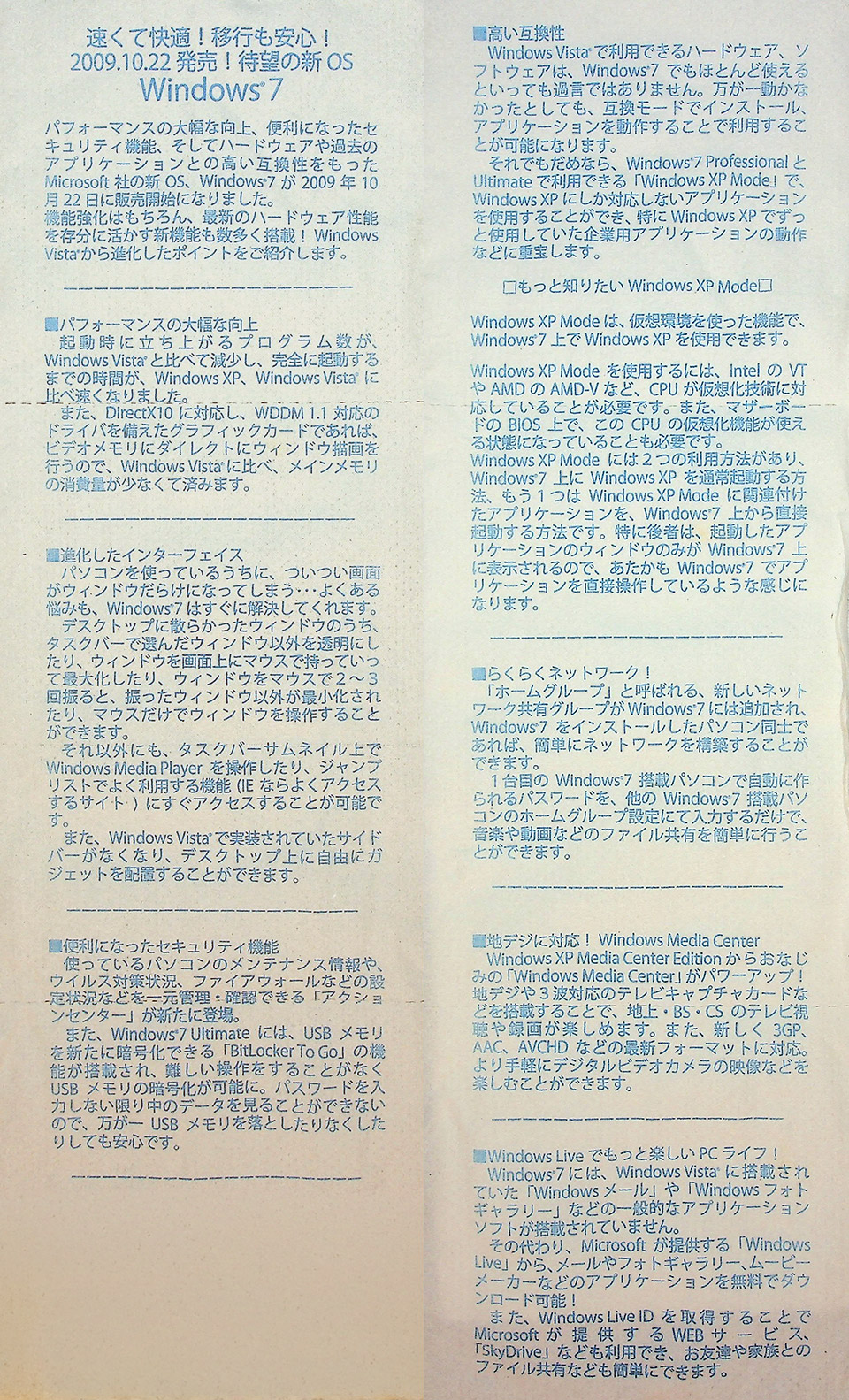
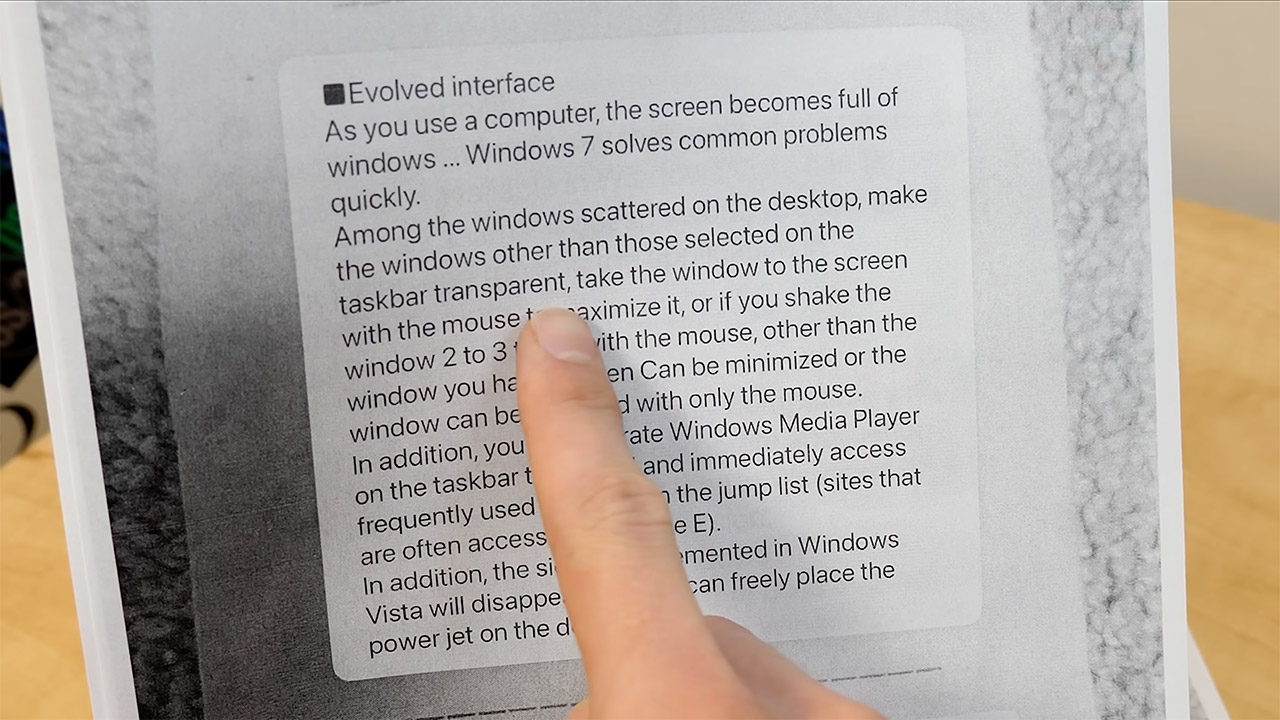
The rest of the material is separated into sections that cover the specific enhancements available with Windows 7. One bit underlines how much faster startup times will be since fewer programs will load when you boot up. Another part demonstrates how enhanced memory management can greatly boost graphics performance on compatible cards. Then there’s the section describing how the UI will be simplified, making the screen less congested. It demonstrates how inactive windows become transparent and how a quick flick of the mouse minimizes everything else.
It also mentions the taskbar’s revamp, which includes playback controls for Windows Media Player and the ability to access jump lists with a single click. Oh, and the old Vista sidebar simply disappears, freeing up desktop space for your personal gadgets. Security is also taken into account. An Action Center consolidates all maintenance warnings, antivirus status, and firewall settings in one location. The Ultimate edition also features BitLocker To Go, which makes it considerably easier to encrypt USB drives, allowing you to protect your data without becoming bogged down in tiresome processes.
This messaging emphasized how much compatibility has improved since Vista, which was inconsistent. So it was reassuring to learn that most of your existing hardware and software would still work, and that for any older programs that would not run, the Ultimate edition includes Windows XP Mode, which essentially creates a virtual environment that allows you to run legacy applications within Windows 7 if your CPU can handle the necessary virtualization features.
Networking and media capabilities complete the primary selling points. HomeGroup allows you to set up a very simple home network that just requires a shared password to exchange files and media. Windows Media Centre now supports digital TV broadcasts, recording, and a range of other video formats, while the emphasis shifts to downloadable Windows Live applications for email, photos, and video. Even some early cloud storage with SkyDrive for easy sharing with friends and family.
By the way, the design of the advertising material was rather clever, as the text would repeat in cycles, allowing you to pick up where you left off and go over the important points without having to unroll the whole thing. Some versions appeared to come with packaging modeled to Windows software boxes, stressing the link to the actual product launch. This initiative was spearheaded by local retailers rather than a huge Microsoft campaign, and the idea was to offer customers with a concrete reminder of why Windows 7 was superior to its predecessor in whatever spare time they had while going about their regular business. This type of tie-in is well-suited to Japan’s electronics retail sector, which has a long history of implementing wacky promotions that serve both functional and brand marketing purposes.