Google’s Chrome browser, the internet’s favorite gateway for millions, has rolled out a major update that weaves in artificial intelligence. From a chatbot that knows your tabs to an assistant that shops for you, Chrome’s new features aim to make browsing smoother, faster and more intuitive.
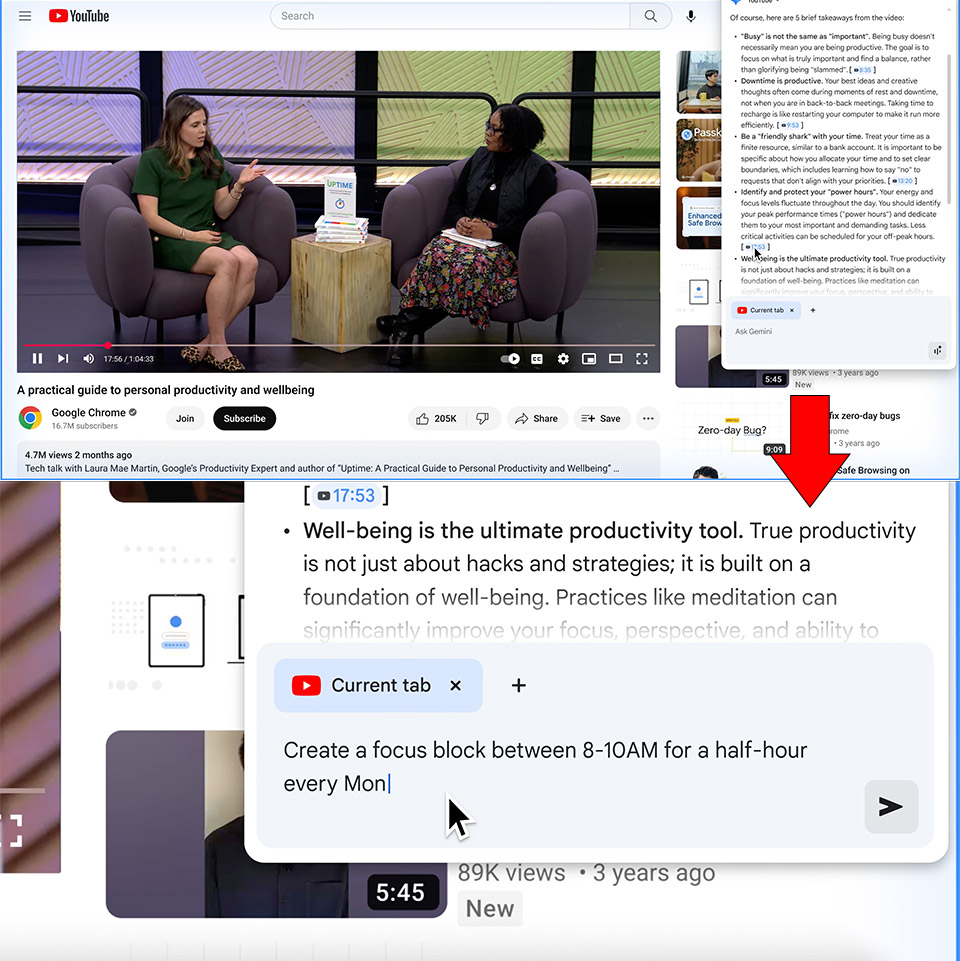
Chrome now has a shiny new button in the top-right corner that’s Gemini, Google’s AI assistant. Gemini is no longer behind a paywall and is now available to all U.S. users on Mac and Windows, with Android and iOS coming soon. When you log into your Google account, this assistant appears, ready to answer questions about the page you’re currently on. Reading a long article? Ask Gemini to break it down. Cooking from a recipe? It can adjust the ingredients for your diet. The assistant not only skims the page, but also digs into the content and provides answers that seem tailored to your situation.

- Google Pixel 10 is the everyday phone unlike anything else; it has Google Tensor G5, Pixel’s most powerful chip, an incredible camera, and advanced...
- Unlocked Android phone gives you the flexibility to change carriers and choose your own data plan[2]; it works - Google Fi, Verizon, T-Mobile, AT&T,...
- The upgraded triple rear camera system has a new 5x telephoto lens - up to 20x Super Res Zoom for stunning detail from far away; Night Sight takes...
Gemini shines when you have a dozen tabs open, each representing a piece of a puzzle you’re trying to solve. Planning a trip? Looking for a mattress? Chrome’s AI can extract information from multiple tabs and combine it into one clear report. Say you’re juggling airline options, hotel reservations and activity plans—Gemini can create a neat schedule without you having to switch back and forth. It’s like having a personal assistant who’s already gone through everything you’re looking at. Soon it will even remember articles you visited days ago, so you can ask “Where was that article about sustainable furniture?” and get a straight link without having to go through your history.
Google’s address bar, also known as the omnibox, is getting a brain boost. Later this month, a new AI Mode will let you ask tough questions directly where you would normally type a URL. Looking for a gadget? When you type “find warranty details for this laptop” on a product page, Chrome will give you results without redirecting you to a search engine. It’ll also ask follow-up questions based on what’s on your screen, like “check return policy” or “compare battery life.” These contextual cues, available now in the U.S., make the omnibox feel like a conversation companion rather than a search box.
The most interesting feature is agentic browsing, which will be available soon. Gemini will serve as your web proxy, doing the tiresome job for you while you browse. In a demo, Google demonstrated Gemini taking a grocery list from an email and adding it to an Instacart cart. It browses webpages, clicks buttons, and completes forms in the background. It will ask for your permission before doing anything critical, such as making a purchase, to ensure that you maintain control.