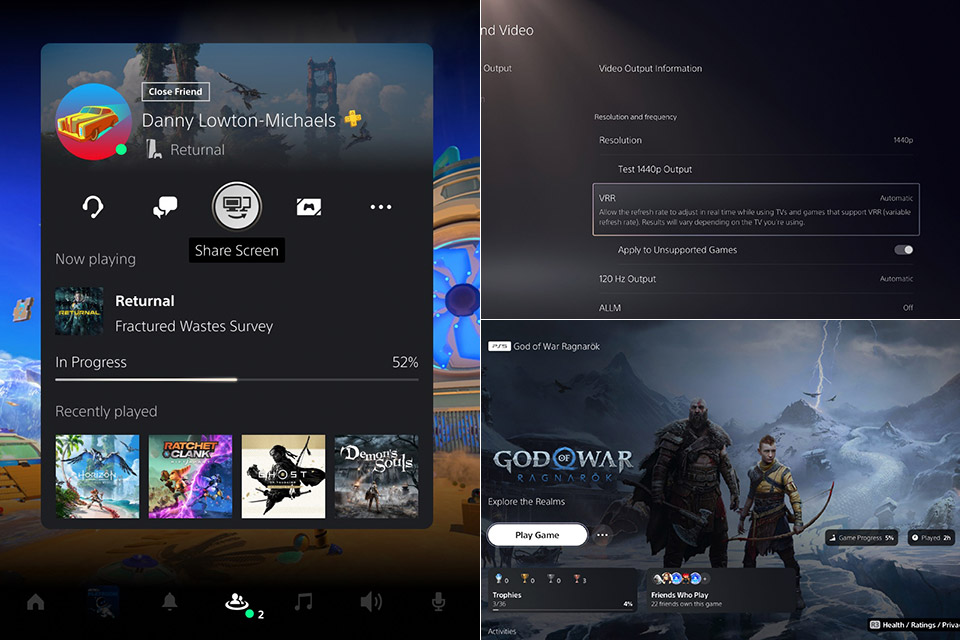
Sony has just released a new PS5 update that not only adds Discord Voice Chat, but also Variable Refresh Rate (VRR) support for 1440p. To join a voice chat, simply link your Discord and PlayStation Network accounts from your PS5 console. Next, use the Discord app on your mobile device or computer to get a Discord voice chat started on your PS5 console.
Experience smoother visual game performance with VRR with a compatible HDMI 2.1 display at 1440p resolution and when playing a game that supports it. Voice Command now also supports using your voice to save video clips of your gameplay, just say “Hey PlayStation, capture that!”. Want to save a specific duration of gameplay? Say “Hey PlayStation, capture the last 10 minutes”.

- Embark on an epic and heartfelt journey alongside Kratos and Atreus with the PlayStation 5 Console – God of War Ragnarök Bundle..Memory storage...
- Bundle includes: PlayStation 5 console, DualSense Wireless Controller, Base, HDMI Cable, AC power cord, USB cable, God of War Ragnarok full game...
- DualSense Wireless Controller integration: Feel your journey through the Norse realms, made possible by immersive haptic feedback and adaptive trigger...

You can now easily transfer the data on your PS5 console, including games, saved data, user profiles, settings, screenshots, and videos, to another PS5 console using a local Wi-Fi network or a LAN cable. You can either transfer the data during the initial PS5 console setup or later from the settings menu. This process doesn’t remove or modify the data on your original PS5 console,” said Hideaki Nishino, Senior Vice President, Platform Experience, SIE.