Nintendo’s Switch 2 has barely hit shelves, and already it’s sparking clever workarounds that make you wonder why you didn’t think of them first. One standout discovery? You can turn your iPhone into a webcam for the console, sidestepping the $55 official Nintendo camera. It’s not as simple as plugging in a cable, but with a few affordable accessories and a free app, you can have your iPhone beaming your face into Mario Kart World or video chats with friends.
The Switch 2 brings new social features like GameChat, which lets you video chat with up to four friends while gaming, or even superimpose your face into certain games for a personalized touch. Nintendo’s official camera is a sleek USB-C accessory, but at $55, it’s a pricey add-on after dropping $450 on the console itself.

- Note on Fit for Switch 2: This case is intentionally designed with extra space to accommodate Nintendo Switch 2 consoles with protective covers. If...
- Custom-Fit for Nintendo Switch 2 2025: JSAUX Carrying Case is meticulously designed for the Nintendo Switch 2, offering both convenient storage and...
- Exceptional Protection: This carrying case features a dual-layer thickened EVA design that protects your Switch 2 from scratches, drops, and dirt. The...
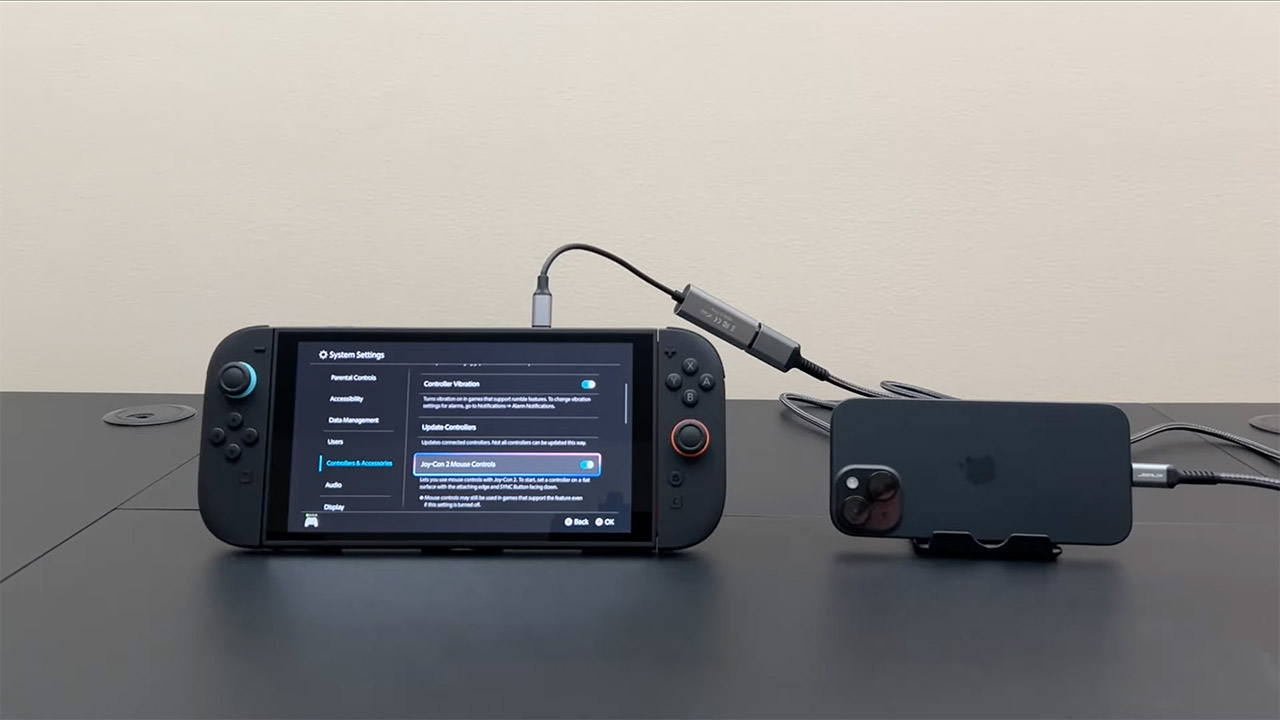
You’ll need a couple of cables to make this magic happen. The setup requires a USB-C to HDMI adapter and an HDMI capture card, which together cost around $30—cheaper than Nintendo’s camera. The USB-C to HDMI adapter connects your iPhone to the capture card, which then plugs into the Switch 2’s USB-C port. It basically takes your iPhone’s video output and converts it into something the Switch 2 recognizes as a webcam feed. You’ll also need a free app on your iPhone to stream its camera output—apps like EpocCam or Camo work well for this.
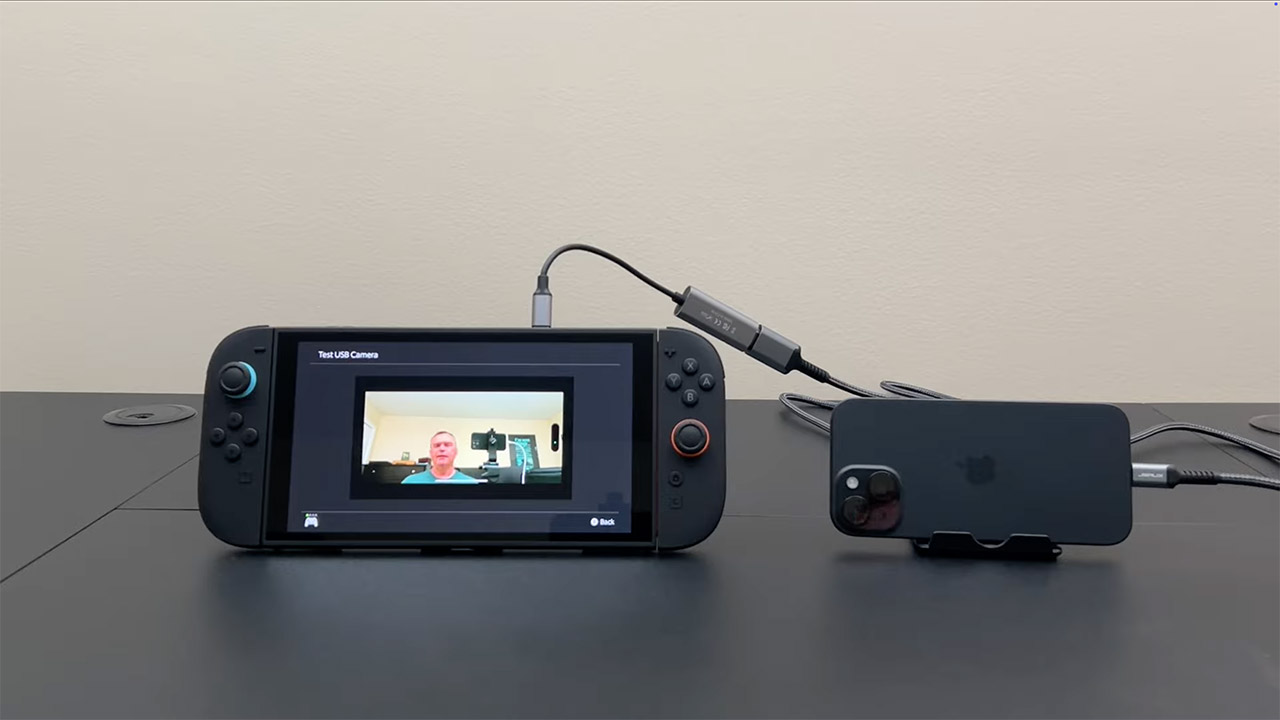
Positioning your iPhone is the next step. You’ll want something to hold it steady, like a small tripod or even a makeshift stand (a stack of books works in a pinch). Point the camera at your face, adjust the angle, and plug everything in: iPhone to USB-C to HDMI adapter, adapter to capture card, capture card to Switch 2. Once connected, the Switch 2 should detect your iPhone as a webcam. You can verify this in the console’s system settings under the “Test USB Camera” feature. If all goes well, your face will pop up in GameChat or compatible games.
There’s a small catch—lag. Some users, including the folks at Will It Work?, noted a slight delay in the video feed, which might throw off lip sync during chats. For most players, the trade-off is worth it to avoid another accessory purchase. Plus, your iPhone’s camera likely outperforms many budget webcams, giving you crisp visuals for those in-game moments.
Could this work with an Android phone? Possibly. The setup relies on USB-C, so the same cables and apps might do the trick, but no one’s confirmed it yet. If you’re an Android user, it’s worth experimenting—check the Switch 2’s camera compatibility